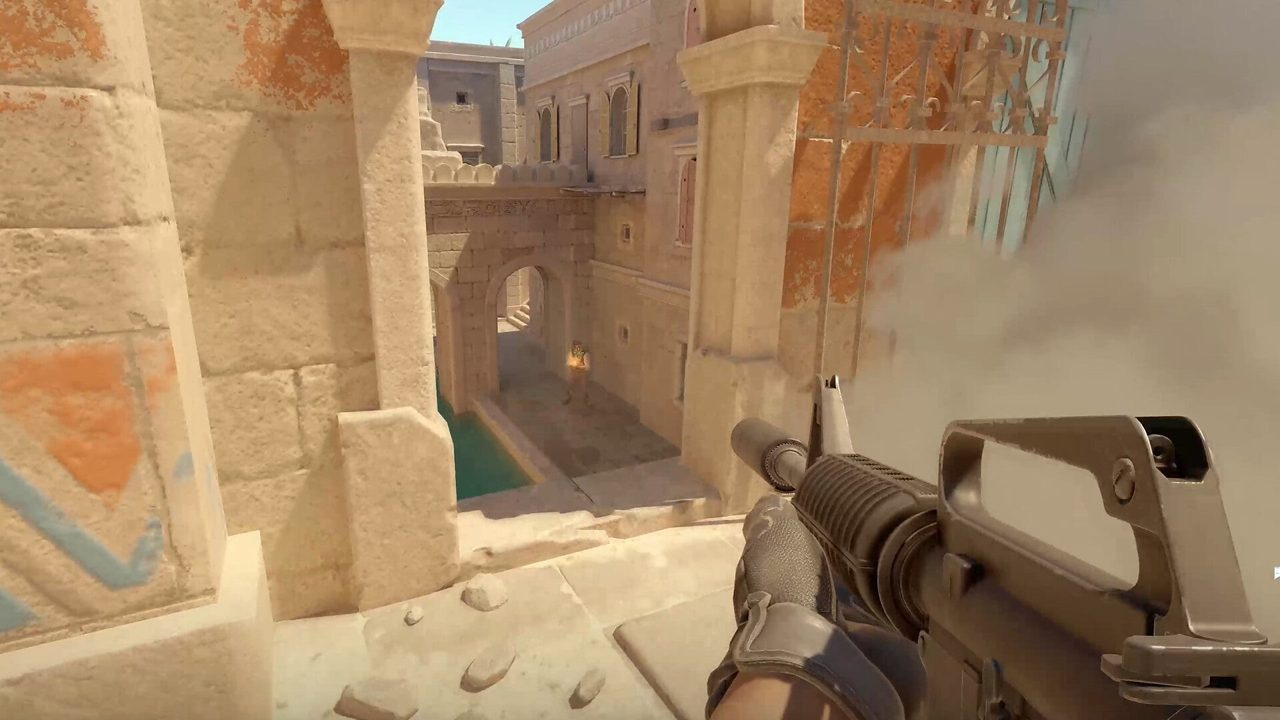
Counter-Strike rounds are won on information before bullets. Who holds cat? Is the rotate late? Did someone drop utility mid? Legitimate players answer those questions with sound, minimap pressure, and hours of map reps. ESP-style overlays compress that timeline — surfacing positions, distances, and states through geometry you cannot yet see.
That compression is powerful and easy to misuse. A screen full of boxes trains tunnel vision. Chasing every highlighted player through smokes burns time your team does not have. This guide explains what ESP modules typically expose, how to configure for clarity, and how to pair visual data with audio settings, crosshair discipline, and round-level gamesense — editorial depth, not a shopping list.
Quick answer: ESP fundamentals
- ESP highlights entities through walls — use it to confirm sound and minimap reads, not to replace them.
- Start with player visibility only; add weapon or utility ESP after one week of stable colors.
- Distance readouts improve trade timing and nade commitment — pair with movement fundamentals.
- Filter teammates and drop clutter; minimal overlays beat busy screens in long sessions.
- Tune box or glow colors against competitive video settings — Mirage sand and Nuke gray need different contrast.
Key takeaways
- ESP confirms rotates and lurks — it should not override disciplined crosshair placement.
- One visual style (box or skeleton) locked for a week beats daily tweaking.
- Distance tags improve peek timing and finish decisions on low-HP targets.
- Sound still wins free information — keep headphones and EQ tuned.
- Map-specific color contrast prevents lost targets on warm vs cool map palettes.
- Retake rounds benefit most when ESP isolates last players without forcing wide swings.
Table of contents
- Key takeaways
- What ESP actually surfaces in CS2
- Player visibility: boxes, skeletons, and glow
- Distance, health, and state readouts
- Utility and world ESP without clutter
- Color, contrast, and map-specific tuning
- Configuring for clarity: minimal first
- ESP and audio: sound still wins free info
- ESP and gamesense: confirm, do not replace
- Round-by-round habits that scale
- Frequently asked questions
- Conclusion
What ESP actually surfaces in CS2
ESP — extra-sensory perception in cheat terminology — means drawing game-state data on top of the normal Counter-Strike 2 view. Player modules show enemies (and optionally teammates) through geometry. World modules may highlight dropped weapons, planted bomb radius, or grenades in flight depending on configuration.
The tactical value is time: you learn a lurk is kitchen before your teammate dies at B. You see two players stacking A main while you hold mid. You confirm the AWPer left long without face-checking. None of that removes the need to aim, move, or communicate — it changes how fast you update your mental model of the round.
| Data layer | Typical display | Round impact |
|---|---|---|
| Player position | Box, skeleton, or glow outline | Isolate angles before peeking |
| Distance | Meters/yards from crosshair | Trade timing and nade range |
| Health / armor | Numeric or color gradient | Finish vs reposition calls |
| Weapon icon | Rifle vs AWP tag | Peek discipline on unknown angles |
| Utility state | Flashed, defusing, planting | Commit or stall decisions |
Player visibility: boxes, skeletons, and glow
Most ESP configs offer box outlines, bone skeletons, or glow-style emphasis. Boxes are fastest to parse at a glance — good for entry and anchor roles who need instant counts. Skeletons show stance and crouch state, which helps predict pre-fire height on odd angles. Glow-style overlays feel closest to in-engine player contrast but can bloom on bright maps if color is wrong.
Pick one primary style and lock it. Switching between box and skeleton mid-session retrains your eyes every round. Keep outline thickness moderate — hair-thin lines disappear on 1080p during smoke fights; triple-width boxes obscure the exact head pixel you need for recoil control.
- Box ESP — best for counting and wide FOV scanning.
- Skeleton ESP — best for off-angle crouch and drop-down reads.
- Glow ESP — best when paired with Boost Player Contrast and muted outline colors.
- Name tags — useful in chaotic retakes; disable in clutch 1vX to reduce noise.
Distance, health, and state readouts
Distance markers answer the question every rifler asks silently: can I swing and trade before the second bullet? A 12-meter tag on a wide peek is a go. A 28-meter tag on an AWP angle is a jiggle, not a commit. Health readouts turn 50/50 duels into finish calls — 23 HP through a wall might justify a spam finish; full HP might mean reposition.
State flags — flashed, defusing, planting — prevent the classic mistake of holding an angle while the round objective resolves elsewhere. Use them to prioritize targets in retakes: defuser first, then last alive, then lurk.
Utility and world ESP without clutter
Weapon ESP shows dropped rifles and AWPs — valuable after opening picks when economy swings. Grenade ESP can highlight smokes, flashes, and molotovs in flight or on the ground; useful for learning timing, noisy if every decoy lights up. Bomb ESP confirms plant site and defuse progress when audio is masked by utility.
Add world layers one at a time. Player-only ESP for week one. Weapon drops week two if you forget econ swings. Grenade highlights only if you IGL or anchor and call utility timings for the team.
| World layer | Enable when | Disable when |
|---|---|---|
| Dropped weapons | You anchor and call eco swings | Visual noise in DM-style chaos |
| Grenades in flight | Learning lineup timings | Ranked once timings are automatic |
| Planted bomb radius | Retake IGL | Entry role — focus on crosshair |
| Hostage / zone markers | Hostage modes only | Competitive bomb defusal |
Color, contrast, and map-specific tuning
ESP colors compete with map art. Warm Mirage stucco eats orange outlines. Nuke's gray floors swallow light gray boxes. Inferno mid fights blend yellow-toned walls with yellow glow. Test each competitive map you queue — not just aim map gray walls.
Align ESP palette with competitive settings: Boost Player Contrast ON, motion blur OFF, stable FPS. If your video settings crush shadow detail, ESP colors must carry more separation. High-visibility greens and cyans work on sand maps; magenta and lime pop on cool industrial palettes like Vertigo.
- Enemy color: one saturated hue — never white (smoke bloom).
- Teammate color: muted blue/gray — distinct from enemy but low priority.
- Low-HP gradient: optional — red shift below 40 HP for finish calls.
- Occluded vs visible: different opacity — visible targets brighter, wallbang targets dimmer.
Configuring for clarity: minimal first
The best ESP config is the one you forget is there. Start player-only: box or glow, distance ON, health optional, everything else OFF. Play ten ranked games. Note moments you wished for weapon or nade ESP — add one layer, not five.
Filter teammates unless you IGL stack setups — four blue boxes in a execute obscure the one red outline that matters. Snaplines from crosshair to feet help some players with angle isolation; others find them distracting during spray transfers. Toggle test in deathmatch, commit in ranked.
ESP and audio: sound still wins free info
ESP does not mute footsteps. The best players treat overlays as confirmation: you hear one cat, ESP shows two — call "two cat." You see a box mid but hear silence — suspect passive hold or fake. Over-relying on vision alone makes you slow on sound-only info, which legit players exploit with walk shifts and fake steps.
Keep audio settings competitive: headphones, HRTF if available, EQ that preserves step frequencies. When ESP and audio disagree, trust audio for timing and ESP for position until one confirms the other.
- Hear contact → use ESP to count and isolate angle.
- See box without sound → jiggle, do not wide swing.
- Utility bang → ESP confirms push vs fake before you commit.
- Post-plant → audio for defuse tap, ESP for exact site position.
ESP and gamesense: confirm, do not replace
Gamesense is predictive — you infer rotates from timing, utility, and scoreboard econ. ESP is reactive confirmation — you see what exists now. Mixing them wrong means chasing every highlight while the bomb clock dies. Right mix: predict default CT setup from spawn and econ, use ESP to validate lurk timing, then commit utility once.
On T-side, ESP helps isolate anchor positions before exec. On CT, it confirms late rotates through connector or pop dog. Neither side should face-check every pixel because a box appeared — crosshair at head level on the most likely angle first, ESP second.
| Round phase | Gamesense question | ESP confirms |
|---|---|---|
| Pistol | Who saved? Who force? | Stack count on site |
| Default | Which site is light? | Lurk position mid-round |
| Execute | Is rotate late? | Numbers at choke |
| Retake | Who is last alive? | Defuser location |
| Save | Can we exit? | Closest safe path |
Round-by-round habits that scale
Build a scan rhythm: minimap → audio → crosshair pre-aim → ESP glance. Not ESP → run → die. In clutch situations, disable mental dependency on health tags — shoot the head you see. After death, note one ESP moment that helped and one that lied (smoke, lag, teammate overlap). That review loop beats config tweaking.
Pair with demo review monthly: ESP in live play accelerates reads, but demos teach whether those reads converted to round wins. Information without conversion is vanity.
- Opening duel: ESP count at choke before first contact.
- Mid-round: update calls when ESP shows rotate numbers shift.
- Retake: isolate defuser ESP flag before hunting frags.
- Anti-eco: do not chase distant boxes — play time and bomb.
Frequently asked questions
Does ESP replace map knowledge?
No. Lineups, timings, and default setups still require map study. ESP accelerates live reads — it does not teach smokes, flashes, or post-plant positions. Learn maps through guides and reps; use ESP to confirm mid-round.
Box ESP or skeleton ESP for ranked?
Boxes for faster counting and entry work. Skeletons if you frequently duel crouch and drop-down angles. Pick one for at least a week — switching daily hurts target acquisition more than the "wrong" style.
Should I show teammate ESP?
IGLs and stack anchors sometimes enable muted teammate outlines for execute spacing. Most riflers should filter teammates — four friendly boxes obscure the enemy outline that matters in a 5v5 site hit.
What colors work on Mirage and Nuke?
Mirage: cyan, green, or magenta outlines against sand tones. Nuke: lime or bright orange against gray metal. Test on each map with Boost Player Contrast ON — see our competitive settings guide.
Can ESP see through smokes?
Depends on module and settings. Many configs dim or hide occluded players in smokes to reduce obvious behavior. Treat smoke as still dangerous — audio and utility timing beat blind chase into molly.
How do I avoid tunnel vision with ESP?
Minimal layers, fixed scan rhythm, and audio-first habits. If you stare at distance numbers while moving, disable health tags until crosshair discipline is automatic from crosshair and recoil practice.
Does ESP help more on CT or T side?
Both, differently. T-side isolates anchors and lurk timing before exec. CT-side confirms rotate numbers and retake defuser position. Anchors and lurkers gain most; entry still wins on crosshair and movement, not overlay count.
Conclusion
ESP is an information accelerator, not a skill shortcut. Configure player visibility first, tune colors per map, filter clutter, and pair every visual read with sound and crosshair discipline. The players who gain rank from overlays are the ones who still do map reps, econ calls, and post-round review — they just update their model of the round faster.
Next reads: competitive settings for contrast and FPS, audio settings for step direction, crosshair settings and recoil control for duel conversion, plus triggerbot configuration when you want firing assistance that rewards placement.