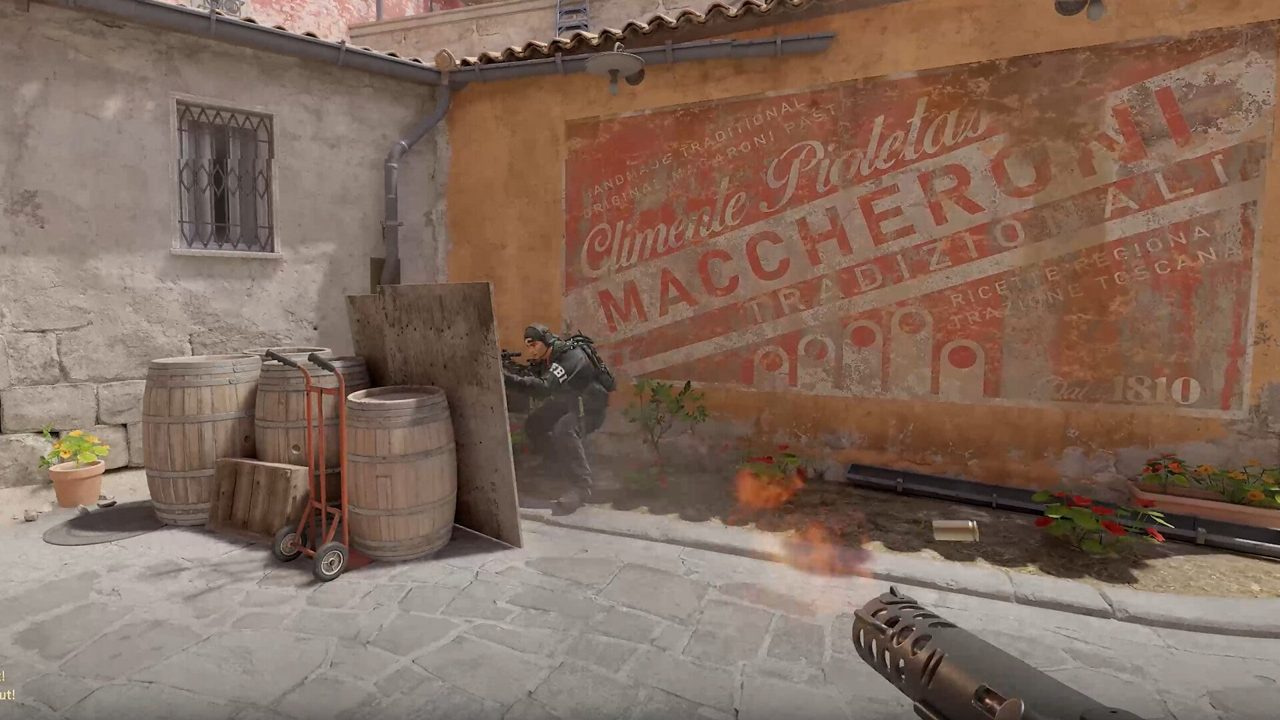
You will stare at your crosshair for thousands of hours. The best one is not the flashiest pro code on Reddit — it is the reticle you stop noticing because it stays readable on Mirage sand, Nuke floor, and smoke edges.
Lock mouse sensitivity and video settings first, then tune crosshair style, color, and gap using the tests below. Crosshair shape does not fix head-level placement — but a bad color or huge dynamic spread will lose duels you should win.
Quick answer: competitive crosshair baseline
- Use a static style for rifle play; test dynamic only if you need movement-error feedback as a beginner.
- Small gap, length 2–3, thickness 0–1, thin outline on bright maps.
- Green or cyan for warm maps; test yellow on Nuke and Vertigo cool floors.
- Import a share code, change one slider at a time, keep sens fixed for 30 days.
- Save settings to autoexec via config guide — not copy-paste only.
- Test visibility on Mirage and Nuke before ranked.
Key takeaways
- Static crosshairs give consistent spray reference; dynamic expands when you move — useful for learning, distracting later.
- Color contrast beats size — a thin green reticle beats a thick white blob on Inferno walls.
- Pro codes are starting points; your monitor and video settings change how colors read.
- AWP players often prefer dot or tight gap; riflers want lines that show horizontal spray.
- Crosshair experiments require locked sens — never change both in the same week.
Table of contents
- Key takeaways
- What your crosshair actually controls
- Static vs dynamic — which fits your playstyle
- Crosshair by playstyle
- Color and accessibility on map backgrounds
- Share codes and console commands
- One-week crosshair testing checklist
- Common crosshair mistakes
- Frequently asked questions
- Conclusion
What your crosshair actually controls
In Counter-Strike 2, the crosshair is your aim anchor — where first-bullet accuracy lands when you counter-strafe. Style, gap, and color affect readability, not raw damage. Settings live under Game → Crosshair (visual editor) or via console `cl_crosshair*` commands saved to autoexec.
| Setting | What it does | Competitive starting point |
|---|---|---|
| Style (static/dynamic) | Spread feedback vs fixed reticle | Static (style 4) for rifles |
| Length / Thickness | Line size | Length 2–3, thickness 0–1 |
| Gap | Center opening | −2 to 0 for rifle; tighter for AWP |
| Outline | Contrast border on lines | Thin outline on bright maps |
| Alpha / color | Visibility on backgrounds | Green or cyan; custom RGB if needed |
| Follow recoil | Reticle moves with spray | Off for learning spray control manually |
| Dot center | Center point | Off for riflers; optional for AWP |
Static vs dynamic — which fits your playstyle
Dynamic crosshairs expand when you move or spray — they punish sloppy movement visually. Static stays fixed; you rely on recoil control and game feel instead.
| Type | Best for | Tradeoff |
|---|---|---|
| Static | Riflers, experienced players, spray control practice | No built-in movement error feedback |
| Dynamic | Beginners learning counter-strafe timing | Can distract during long sprays |
| Classic static (style 4) | Most ranked riflers | Industry default starting point |
| Follow recoil on | Experimental / casual | Harder to learn manual spray patterns |
Crosshair by playstyle
| Playstyle | Gap / style | Color note | Deep dive |
|---|---|---|---|
| Entry rifler | Static, small gap, medium length | High contrast on sand/stone maps | Recoil guide |
| AWPer | Tight gap or dot, minimal lines | Visible on scope transition | AWP guide |
| Lurker / passive | Static, clean lines | Readable in dark corners | Movement guide |
| Beginner | Dynamic → static transition | Green/cyan on Mirage first | Beginner guide |
Color and accessibility on map backgrounds
Warm maps (Mirage, Inferno, Anubis) favor cyan and green. Cool gray floors (Nuke, Vertigo) favor yellow or bright green with thin outline. Red and orange blend into Inferno brick — avoid unless you test extensively.
Monitor brightness, gamma, and contrast change how colors read — calibrate display before picking a final color.
- Deuteranopia-friendly: cyan and yellow outperform red-green pairs on mixed backgrounds.
- Enable thin outline if your color still disappears on pale walls.
- Boost Player Contrast affects enemy models, not your reticle — crosshair color is still your job.
Share codes and console commands
Settings → Crosshair → Share/Import for pro codes. After major patches, re-import — values occasionally shift. For persistence, mirror settings in autoexec per config and binds guide.
- cl_crosshairstyle 4 — classic static
- cl_crosshairsize 2; cl_crosshairgap -2; cl_crosshairthickness 0
- cl_crosshairdrawoutline 1; cl_crosshairoutlinethickness 1
- cl_crosshaircolor 1 (green) or cl_crosshaircolor 5 with RGB custom values
- cl_crosshairalpha 255; cl_crosshairusealpha 1
One-week crosshair testing checklist
- Lock sens and competitive video settings — no other changes.
- Day 1–2: Import baseline code; play 10 deathmatch rounds on Mirage.
- Day 3: Check readability on Nuke floor and dark corners.
- Day 4: Test one smoke edge angle — reticle must stay visible on volumetric smoke borders.
- Day 5: Change only color OR gap — not both.
- Day 6–7: One Competitive match; note pre-aim confidence, not just frags.
- After 7 days: save to autoexec or revert to previous backup cfg.
Common crosshair mistakes
| Mistake | What happens | Fix |
|---|---|---|
| Copy pro code + pro sens same day | Muscle memory reset | Lock sens 30 days; tune crosshair only |
| Huge gap + long lines | Reticle blocks heads at range | Shorter length, tighter gap |
| White crosshair on Mirage | Disappears on pale walls | Green/cyan + thin outline |
| New code every deathmatch | Never adapt to one reticle | One config per week minimum |
| Follow recoil on too early | Never learn spray pattern | Turn off; use recoil control drills |
| Ignoring placement | Crosshair on floor during walks | Drill aim training routine |
Frequently asked questions
Do pro crosshair share codes work in CS2?
Yes — import via Settings → Crosshair → Import. Re-check after major patches. Use as a baseline, then adjust gap and color for your monitor.
Static or dynamic crosshair for ranked?
Most riflers use static. Dynamic helps beginners see movement error; switch to static once counter-strafing is habitual.
What is the best crosshair color for CS2?
No universal best — green or cyan on warm maps, yellow often on cool floors. Test on Mirage and Nuke with outline enabled.
Should AWPers use a dot crosshair?
Many AWPers prefer a small dot or tight gap for quick scope transitions. Riflers usually keep lines for spray reference — see our AWP guide.
Does crosshair style affect FPS?
Negligibly. Video and display settings matter far more for frame times than reticle style.
Can I use different crosshairs per weapon?
Yes via weapon-specific cfg files and bind toggles — advanced setup covered in the config and binds guide.
Why does my crosshair feel different after an update?
Valve occasionally adjusts defaults. Re-import your share code or restore autoexec backup from before the patch.
Conclusion
Pick a static baseline, test color on Mirage and Nuke for one week with locked sens, save to autoexec, then stop tweaking. Crosshair choice supports aim — it does not replace placement or recoil control.
Next steps: aim training routine with this crosshair locked, then movement guide for counter-strafe consistency.