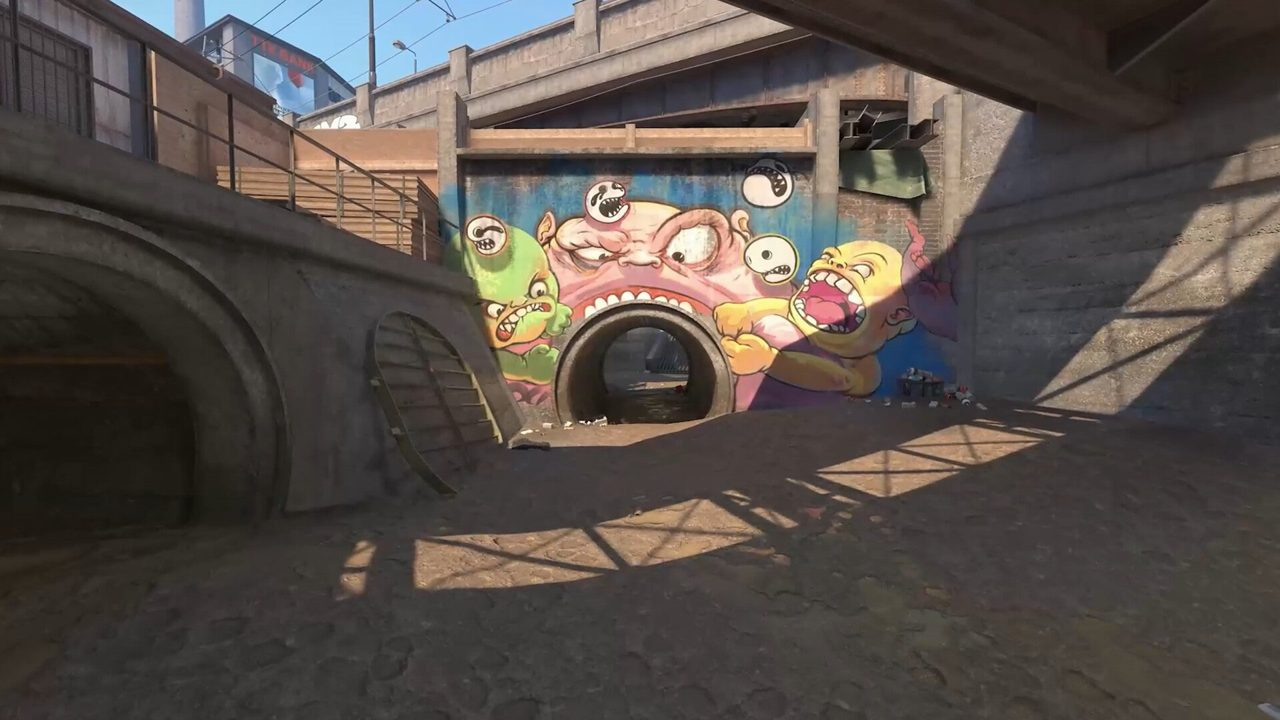
You can hold 280 FPS on an empty aim map and still feel like you are dragging through mud when three smokes bloom on Inferno banana. Counter-Strike 2 on Source 2 punishes frame-time spikes harder than CS:GO ever did — and most "optimization" guides only tell you to set shadows to Low.
This is the hardware-and-OS layer after you lock competitive video settings. If you are still picking resolution and Reflex options, the in-game settings recap below points you to the right baseline first. New to ranked structure entirely? Read the beginner's guide — FPS tuning will not fix wide swings or bad buys.
Quick answer: CS2 FPS optimization
- Measure 1% and 0.1% lows on Mirage/Inferno smokes — not empty-map averages.
- Lower Shader Detail and Particle Detail before touching resolution or sens.
- Update GPU drivers; set CS2 to High Performance in Windows Graphics Settings.
- Close RGB suites, browsers, and Discord hardware acceleration when testing.
- Cap FPS at refresh + 20 if uncapped FPS pegs GPU at 99% and frametimes spike.
- Re-verify game files after major patches — see crash fix guide if CS2 will not launch.
Key takeaways
- Stable frame times beat peak FPS — a locked 240 with flat frametimes out-aims 350 with spikes.
- Inferno banana and Mirage window smokes are your real benchmark, not aim_botz.
- Thermal throttling shows up round 20, not round 1 — watch GPU temps during a full match.
- 16 GB RAM is the floor; background Chrome tabs eat frametime on older CPUs.
- Change one variable per session or you will never know what actually helped.
Table of contents
- Key takeaways
- FPS vs frame times: why the corner number lies
- In-game settings recap — what to touch first
- Windows and GPU driver hygiene
- Map-specific load: Mirage and Inferno smokes
- Low-end PC branch
- Stutter and micro-freezes — different problem, different fix
- Testing protocol — one change at a time
- Hardware bottlenecks and upgrade order
- Common FPS optimization mistakes
- Frequently asked questions
- Conclusion
FPS vs frame times: why the corner number lies
Average FPS is a vanity stat. What your mouse and eyes feel is frame time — how long each frame takes to render. A game reporting 300 FPS can still hitch to 40 ms frames during smoke transitions, and that hitch is the duel you lose.
Use net_graph (`cl_showfps 1` or Steam overlay FPS) and watch the frametime line, not just the FPS counter. On a 240 Hz monitor you want frametimes mostly under 4.2 ms (1000 ÷ 240). The 1% low FPS tells you how bad your worst moments get — that is the number to optimize.
| Metric | What it shows | Target on 240 Hz |
|---|---|---|
| Average FPS | Mean throughput over a session | At or above 240 on main maps |
| 1% low FPS | Worst 1% of frames in a fight | Above 200 during smoke executes |
| 0.1% low FPS | Rare hitches — micro-freezes | Above 180; spikes here feel like input lag |
| Frametime (ms) | Per-frame render cost | Mostly under 4.2 ms; spikes under 8 ms |
In-game settings recap — what to touch first
Full competitive defaults — Boost Player Contrast, Reflex, shadow tradeoffs, resolution — live in our competitive settings guide. This section is the FPS-first priority order when you are GPU-bound and need frames back without gutting visibility.
Work top to bottom. Stop when 1% lows on your main map stay above your monitor refresh during a full execute with two smokes active.
| Priority | Setting | Action | Typical gain |
|---|---|---|---|
| 1 | Shader Detail | Low | 5–15% GPU headroom in firefights |
| 2 | Particle Detail | Low | Smoother Inferno/Mirage smoke transitions |
| 3 | Ambient Occlusion | Disabled | Cosmetic; free frames |
| 4 | Multisampling AA | 2x MSAA (or None on weak GPUs) | Big VRAM/GPU save at 4x → 2x |
| 5 | Global Shadow Quality | Medium → Low only if tested | Medium keeps shadow info — do not blind-drop |
| 6 | Model / Texture Detail | Low–Medium | Minimal tactical loss; saves VRAM |
| 7 | FidelityFX Super Resolution | Highest Quality only if required | Last resort before resolution drop |
Windows and GPU driver hygiene
Half of ranked "FPS problems" are background apps and stale drivers, not CS2 settings. Clean the OS layer once, then leave it alone for 30 days.
- Update GPU driver (NVIDIA Game Ready or AMD Adrenalin) — DDU only if switching vendors or chasing a regression.
- Windows Settings → System → Display → Graphics → Counter-Strike 2 → High performance.
- NVIDIA Control Panel → Manage 3D Settings → CS2: Prefer maximum performance, Low Latency Mode Ultra if Reflex unavailable.
- AMD Software → Gaming → CS2: Radeon Anti-Lag 2 + Radeon Boost off unless tested.
- Disable Xbox Game Bar background recording if you are not clipping.
- Power plan: High performance (laptop users: plug in, disable battery saver).
- Exclude CS2 install folder from real-time antivirus scans if your AV allows it — reduces map-load hitches.
Map-specific load: Mirage and Inferno smokes
Source 2 volumetric smokes are the GPU stress test Valve built into every ranked pool map. Two maps consistently expose weak configs: Mirage window/mid smokes and Inferno banana/arch smokes.
Run your benchmark here — not on an empty server. Queue a casual 5v5 or use a private server with bots, throw the lineups your team actually uses, and watch 1% lows while peeking through or into the smoke edge.
| Map / scenario | What spikes GPU | What to check |
|---|---|---|
| Mirage — A execute | Window + CT + jungle smokes overlapping | Particle Low; cap FPS if GPU hits 99% |
| Mirage — mid control | Window smoke + connector molotov | Shader Low; close browser tabs |
| Inferno — banana push | Banana smoke + molly fire on sand | Frametime spikes = particle/shader first |
| Inferno — A site execute | Arch + library + CT smokes | Test with 3 smokes live, not one at a time |
| Any map — 5v5 alive | Multiple player models + utility | CPU single-thread load rises with player count |
Low-end PC branch
Integrated graphics, 8 GB RAM, and laptops thermal-throttling at 85°C need a different playbook than "set shadows to Medium." Resolution scaling, aggressive settings floors, and Windows Game Mode tuning matter more than Reflex tweaks.
If your 1% lows sit under 100 FPS on native resolution after the priority table above, follow our dedicated low-end PC optimization guide before buying hardware. Check system requirements to see whether your spec is below Valve's recommended tier.
Stutter and micro-freezes — different problem, different fix
Low average FPS and periodic stutter are not the same issue. Stutter feels like a half-second input freeze every few rounds — often during the first smoke of a match or after alt-tabbing. That is frequently shader cache compilation, RAM paging, or a background capture hook.
Our stuttering and micro-freeze fix guide covers D3D debug layers, shader precaching, RAM diagnostics, and overlay conflicts step by step. Apply FPS settings from this guide first; if frametimes stay flat on average but spike rhythmically, switch to the stutter guide.
| Symptom | Likely cause | First fix |
|---|---|---|
| Hitch every 3–5 seconds all match | Background app or RAM at 95%+ | Close Chrome, Discord HW accel off |
| Stutter first smoke each half | Shader compilation / cache cold | Lower shader detail; update drivers |
| Freeze after alt-tab | Fullscreen exclusive lost | Return to fullscreen; disable overlays |
| Gradual FPS drop after 25 min | Thermal throttle | Cap FPS; improve airflow; undervolt GPU |
| Stutter only when streaming | Encoder + game competing for CPU | NVENC separate from game core; lower stream res |
Testing protocol — one change at a time
Random tweaks every lobby night reset your baseline. Use this protocol so you know what worked.
- Baseline: one full Competitive match on your main map. Record avg FPS, 1% low, and worst frametime spike (net_graph or MSI Afterburner).
- Change exactly one setting, driver option, or background app.
- Repeat the same test conditions — same map, similar utility usage (smoke execute round).
- Keep the change only if 1% lows improve without input feeling sluggish.
- Lock the config 30 days before revisiting. Muscle memory and frametime stability both need consistency.
Hardware bottlenecks and upgrade order
Settings have a ceiling. If you are CPU-bound at 1080p with a RTX 3060, lowering shaders will not fix 80 FPS in 5v5. If you are GPU-bound at 1440p, a CPU upgrade alone will not help.
Before spending money, walk through initial setup documentation — wrong install path, outdated Windows build, or missing Visual C++ redistributables cause problems that look like hardware limits.
| Bottleneck sign | Likely limiter | Upgrade priority |
|---|---|---|
| GPU at 99%, CPU under 70% at 1080p | GPU | Lower res/settings first, then GPU |
| CPU one core pegged, GPU under 60% | CPU single-thread | CPU/motherboard platform upgrade |
| RAM at 90%+ with Chrome open | RAM capacity | 16 GB minimum; close apps or add RAM |
| FPS fine round 1, drops round 20+ | Thermals | Cooling, paste, cap FPS, undervolt |
| Long load times, texture pop-in | Storage | Move CS2 to SSD/NVMe |
Common FPS optimization mistakes
| Mistake | What happens | Fix |
|---|---|---|
| Optimizing on empty aim maps only | Real ranked FPS 30–40% lower than expected | Benchmark on Mirage/Inferno with smokes |
| Changing five settings same day | No idea what helped; revert everything | One variable per session |
| Global Shadow Low without testing Medium | Lose free shadow info before peeks | Try Medium; drop only if 1% lows fail |
| 12 launch options from CS:GO era | Stutter, crashes, zero FPS gain | Keep 2–4 flags; see competitive settings guide |
| Ignoring GPU driver for 6 months | Regressions after CS2 patches | Update driver within a week of major patch |
| Uncapped FPS on laptop plugged into 60 Hz | GPU at 100%, heat, coil whine, no benefit | Cap at refresh + 20 |
| Streaming + RGB + browser on 16 GB RAM | Micro-freezes mistaken for netcode | Close bloat; read stutter guide |
| Buying GPU before confirming bottleneck | Still CPU-bound at 1080p | Profile CPU vs GPU usage first |
Frequently asked questions
Does CS2 use more CPU than CS:GO?
Often yes on older CPUs. Source 2 pushes more draw calls and physics work. Strong single-thread performance still matters most at 1080p — a mid GPU with a weak CPU will hit a wall in 5v5 regardless of settings.
What FPS should I target in CS2?
At or above your monitor refresh on average, with 1% lows above refresh during smoke executes on your main maps. More FPS only helps while frametimes stay flat — 400 average with spikes feels worse than 260 stable.
Should I cap FPS in CS2?
Cap at refresh + 20 if uncapped FPS pegs your GPU at 99% and frametimes spike. Uncapped with Reflex is fine when frame delivery stays consistent. Laptop users should almost always cap to reduce heat.
Why does FPS drop only in smokes?
Volumetric smokes and molotov fire stress shader and particle pipelines. Lower Particle Detail and Shader Detail first. If drops persist, you are GPU-bound — resolution or FSR beats more launch flags.
Does reinstalling CS2 fix FPS?
Sometimes after a bad patch. Steam → CS2 → Properties → Verify integrity first. Full reinstall if verify fails or shader cache is corrupted — see our crash and launch fix guide if the game will not start cleanly.
Is 8 GB RAM enough for CS2?
Barely. Windows plus CS2 plus Discord leaves little headroom. Close background apps or upgrade to 16 GB — RAM pressure causes frametime spikes that look like GPU problems.
Do NVIDIA Reflex and AMD Anti-Lag hurt FPS?
They reduce render queue latency with minimal FPS cost on supported GPUs. Enable Reflex in-game on NVIDIA; use Anti-Lag 2 on AMD when available. Do not stack multiple latency tools without testing.
When should I stop optimizing and upgrade hardware?
When one full settings pass and the Windows hygiene checklist leave 1% lows below refresh on your main maps. Profile CPU vs GPU usage — if the limiter is clear and settings are already at competitive floors, hardware is the answer.
Conclusion
Chase flat frametimes, not a bigger number in the corner. Baseline on Mirage and Inferno smokes, run the in-game priority table, clean Windows and drivers once, then change one thing per session until 1% lows hold above your refresh.
Next steps: lock competitive video settings if you have not already, pair refresh rate with an in-game FPS cap, and branch to the stutter or low-end guides if problems persist after a full tuning pass. Game will not launch after a patch? Run verify integrity first, then the crash and launch fix guide.