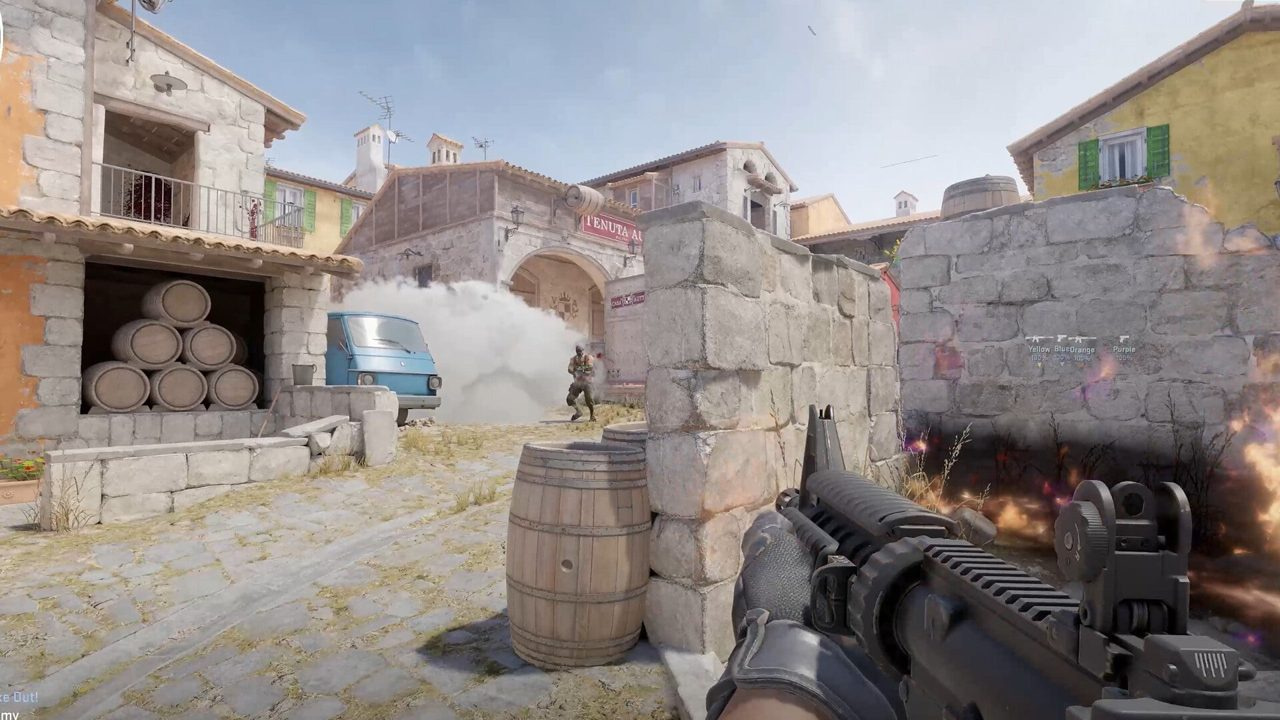
You do not need a 4070 to play Counter-Strike 2 ranked — but you do need honest expectations. Source 2 on a GTX 1650, Vega iGPU, or eight-year-old laptop will not hold 240 FPS on Mirage smokes. It can still deliver stable 60–120 FPS with the right resolution floor and settings discipline.
This guide is the budget-hardware branch of our performance stack. Start from the competitive settings baseline, then apply the aggressive floors here. If average FPS is acceptable but the game hitches every few seconds, switch to the stuttering fix guide — low-end PCs confuse those two problems constantly.
Before changing anything, confirm your spec against our system requirements page. If CS2 will not launch at all, fix that first with the crash and launch guide.
Quick answer: low-end CS2 optimization
- Set Shader, Particle, and Ambient Occlusion to Low/Disabled; MSAA to None; shadows Low.
- Drop to 1280×960 or 1024×768 stretched before chasing launch options.
- Enable Boost Player Contrast — it costs almost nothing and keeps enemies readable.
- Close browsers, RGB suites, and Discord hardware acceleration during ranked.
- Cap FPS at refresh + 10 on laptops to reduce heat and frametime spikes.
- Target stable 1% lows above 60 on your main map — see FPS optimization for the full testing protocol.
Key takeaways
- Stable 60 with flat frametimes beats unstable 90 with smoke hitches.
- Resolution drop saves more GPU than toggling texture detail alone.
- 8 GB RAM is survivable only with aggressive background cleanup.
- Integrated graphics need 720p-class resolutions for ranked comfort.
- Thermal throttling on laptops shows up round 15 — cap FPS early.
- Upgrade RAM before GPU if you stutter at round start with Chrome open.

Table of contents
- Key takeaways
- What counts as low-end for CS2 in 2026
- Minimum viable settings floor
- Resolution strategies that actually help
- Windows and background app hygiene
- Troubleshooting when settings are not enough
- Launch options for low-end PCs
- Realistic FPS targets for ranked play
- Hardware upgrade priority on a budget
- Common low-end optimization mistakes
- Frequently asked questions
- Conclusion
What counts as low-end for CS2 in 2026
Low-end is not a badge — it is a bottleneck profile. You are low-end if your 1% lows drop below 60 FPS on Dust2 or Mirage during a casual 5v5 with two smokes active, even after applying the competitive settings baseline.
Common low-end configs: GTX 1050 Ti / 1650, RX 570, Intel UHD / Iris Xe, AMD Vega iGPU, Ryzen 5 2600 or older Intel quad-cores, 8 GB single-channel RAM, HDD install, or any gaming laptop that hits 90°C after twenty minutes.
| Hardware tier | Realistic ranked target | First move |
|---|---|---|
| GTX 1650 / RX 570 + 16 GB | 90–144 FPS at 1280×960 | Resolution + shader floors |
| Intel UHD / Iris Xe + 8 GB | 60–90 FPS at 1024×768 | Close all background apps; lowest res |
| Old quad-core + 8 GB HDD | 60 FPS with stutter risk | Move CS2 to SSD; add RAM |
| Gaming laptop (thermal limit) | Drops after 15 min | Cap FPS; elevate laptop; plug in |
| Below Valve minimum spec | Unplayable ranked | Check system requirements; upgrade platform |
Minimum viable settings floor
These are floors, not suggestions. Low-end hardware should start here, then test upward one setting at a time only if 1% lows stay above your monitor refresh on a real map with utility.
Full competitive context — Reflex, shadow tradeoffs, audio — lives in the competitive settings guide. This table is the FPS-first priority when you are GPU-bound on every smoke.
| Setting | Low-end value | Why |
|---|---|---|
| Display mode | Fullscreen | Lowest compositor overhead vs borderless |
| Resolution | 1280×960 or 1024×768 stretched | Biggest GPU save; test one week each |
| Multisampling AA | None | MSAA is expensive on weak GPUs |
| Global Shadow Quality | Low | Accept the tradeoff on budget hardware |
| Shader Detail | Low | Critical for smoke and firefight stability |
| Particle Detail | Low | Smokes are the GPU killer on Source 2 |
| Ambient Occlusion | Disabled | Cosmetic; free frames |
| Model / Texture Detail | Low | Minimal tactical loss at low res |
| Boost Player Contrast | Enabled | Keeps enemies readable on flat settings |
| FidelityFX Super Resolution | Highest Quality if still GPU-bound | Last resort before dropping resolution further |
| NVIDIA Reflex / AMD Anti-Lag | Enabled if available | Input path still matters at 60 Hz |
Resolution strategies that actually help
On low-end GPUs, resolution is your primary lever. Shader and particle floors save frametime in smokes; resolution drop saves baseline GPU load everywhere.
1280×960 stretched (4:3) is the most common budget compromise — wider player models, less pixel fill, familiar CS feel. 1024×768 goes further if you still dip below 60 in 5v5. Native 1920×1080 is only viable on GTX 1660-class or better with everything on Low.
| Resolution | Try if... | Tradeoff |
|---|---|---|
| 1280×960 stretched | GTX 1650-class; want CS-style feel | Less horizontal FOV vs 16:9 |
| 1024×768 stretched | Integrated GPU or sub-60 at 960 | Blurrier targets at range |
| 1600×900 16:9 | You refuse 4:3 but need modest save | Smaller gain than 960 |
| Native 1080p | 1% lows already above 90 on main map | No reason to drop if stable |
Windows and background app hygiene
Budget PCs have no headroom for background tax. A browser with six tabs and iCUE running can cost 10–15 FPS and cause round-start stutter on 8 GB systems.
- Windows Settings → System → Display → Graphics → Counter-Strike 2 → High performance.
- Power plan: High performance; laptop users plug in and disable battery saver.
- Close Chrome, Spotify, Discord (or disable Discord hardware acceleration).
- Exit RGB suites — iCUE, Synapse, SteelSeries GG — during ranked.
- Disable Xbox Game Bar background recording if you are not clipping.
- Game Mode: On (test both ways if frametimes worsen — rare on modern Windows).
- Exclude CS2 install folder from real-time antivirus scans if your AV allows it.
Troubleshooting when settings are not enough
If you applied the settings floor and still cannot hold 60 FPS 1% lows on Dust2, the problem may not be graphics — it may be storage, RAM, thermals, or shader compilation stutter.
| Symptom | Likely cause | Fix |
|---|---|---|
| FPS fine in menu, drops in 5v5 only | CPU or RAM limit | Lower res; close apps; check single-thread load |
| Hitch every 3–5 seconds | Background app or RAM at 95%+ | Task Manager → sort by memory; kill hogs |
| Stutter first smoke each half | Shader cache cold | Lower shader detail; see stutter guide |
| Long map loads, texture pop-in | HDD install | Move CS2 to SSD/NVMe |
| FPS drops after 15–20 min on laptop | Thermal throttle | Cap FPS; clean vents; use cooling pad |
| Game crashes on launch | Driver or corrupt files | Crash fix guide |
| Average FPS OK but input freezes | Stutter, not low FPS | Stuttering fix guide |
Launch options for low-end PCs
Keep the list short. Source 2 ignores most CS:GO-era flags. Start with `+fps_max [your cap]` and `+exec autoexec.cfg`. Add `-nojoy` if you want. Remove `-high` if frametimes spike after adding it.
Do not stack fifteen flags from old forum posts — unstable launch options cause crashes that look like hardware limits. If CS2 will not start after editing launch options, see the crash fix guide.
| Option | Low-end use | Notes |
|---|---|---|
| +fps_max 75 | 60 Hz monitors | Cap at refresh + 10–15 for headroom |
| +fps_max 165 | 144 Hz panels | Reduces GPU heat on laptops |
| +exec autoexec.cfg | Always | Loads binds and settings |
| -nojoy | Optional | Minor API cleanup |
| -high | Test individually | Can help or cause stutter |
| -d3d9ex / -tickrate 128 | Ignore | CS:GO flags — dead in Source 2 |
Realistic FPS targets for ranked play
Ranked CS2 is playable below 144 FPS if frametimes stay flat. Match your target to your monitor — do not chase a number you cannot feel.
| Monitor | Minimum avg FPS | Minimum 1% low | Notes |
|---|---|---|---|
| 60 Hz | 75+ | 60+ | Cap at 75; focus on consistency |
| 75 Hz | 90+ | 75+ | Common laptop panel — viable ranked |
| 144 Hz | 160+ | 120+ | Drop res until 1% lows clear 120 in smokes |
| 240 Hz | Not realistic on low-end | — | Upgrade GPU/platform first |
Hardware upgrade priority on a budget
Settings have a ceiling. When you are ready to spend, upgrade in the order that fixes the actual bottleneck — not the part that is easiest to buy.
| Upgrade | Impact on CS2 | Priority | When to skip |
|---|---|---|---|
| 8 → 16 GB RAM | Stops round-start paging stutter | Highest if on 8 GB | Already on 16 GB dual-channel |
| HDD → SSD/NVMe | Fixes load hitches and shader cache delays | High if on HDD | Already on NVMe |
| GPU (1650 → 3060 class) | Raises FPS cap and smoke headroom | High after RAM/SSD | CPU is the limiter at 1080p Low |
| CPU platform upgrade | Fixes 5v5 CPU bottlenecks | Medium–High on old quad-cores | GPU still at 99% at lowest res |
| Monitor 144 Hz | Smoother feel only if PC sustains it | Last | 1% lows still below 120 |
| Cooling / paste (laptop) | Sustained FPS after round 15 | High on throttling laptops | Desktop with good airflow |
Common low-end optimization mistakes
| Mistake | What happens | Fix |
|---|---|---|
| Native 1080p on integrated GPU | Sub-40 FPS in smokes | Drop to 1024×768 or 960 |
| High shadows because a pro uses them | Free FPS loss with no readability gain on Low | Shadows Low on budget hardware |
| Leaving Chrome open with 8 GB RAM | Round-start micro-freezes | Close browser or add RAM |
| Optimizing on empty servers only | Ranked FPS 30–40% lower than expected | Test on Dust2/Mirage with utility |
| Ignoring thermal throttle on laptop | Winning half one, losing aim half two | Cap FPS; improve cooling |
| Confusing stutter with low FPS | Wrong guide, wrong fixes | Stutter guide vs this one |
| Reinstalling before verify files | Wasted time | Steam verify first; see crash guide |
| Buying GPU before confirming bottleneck | Still CPU-bound at lowest settings | Profile in Task Manager during 5v5 |
Frequently asked questions
Can you play CS2 ranked on 60 FPS?
Yes. Many players rank up at 60 Hz with stable frametimes. Consistency and game sense matter more than peak FPS — but sub-60 1% lows during smokes will hurt duels. Optimize until 1% lows stay above 60 on your main map.
What is the minimum GPU for CS2 ranked?
Valve lists GTX 1060 / RX 580 class as recommended. GTX 1650 and RX 570 work at 1280×960 with Low settings. Integrated graphics can play casual and low ranks at 1024×768 but expect to drop settings further on Active Duty smokes.
Is 8 GB RAM enough for CS2?
Barely, with nothing else open. Windows and CS2 alone use most of 8 GB — add Discord or a browser and you get paging stutter. 16 GB is the practical minimum for ranked without constant background management.
Should low-end PCs use FSR?
Use FidelityFX Super Resolution on Highest Quality only if you are still GPU-bound after dropping resolution and shader floors. It softens image slightly but can recover 15–25% GPU headroom on AMD and supported NVIDIA cards.
Why does CS2 run worse than CS:GO on the same PC?
Source 2 pushes more draw calls, volumetric smokes, and physics work. The same hardware that held 200 FPS in CS:GO may sit at 90 in CS2 — that is expected. Optimize for frame time stability, not CS:GO nostalgia numbers.
When should I stop optimizing and upgrade hardware?
When 1% lows stay below 60 on your main map after resolution drop, all Low settings, background cleanup, and SSD install. At that point settings cannot help — RAM or GPU upgrade is the honest answer.
Conclusion
Low-end CS2 is playable ranked hardware — not comfortable pro-stream hardware. Drop resolution first, lock shader and particle floors, clean Windows background tax, and measure 1% lows on real maps with smokes.
Next steps: competitive settings for the full baseline, FPS optimization for advanced tuning, and stuttering fixes if frametimes spike despite acceptable averages. Confirm your spec on system requirements before buying parts.